

Mobile apps have become an essential part of daily life, helping us manage work, communication, finances, health, and entertainment. As technology continues to evolve, users need smarter ways to use apps efficiently, safely, and productively. This guide is designed to help everyday users understand modern app usage trends and apply practical strategies that truly make a difference. These useful app tips 2026 focus on simplicity, security, and better performance without requiring advanced technical knowledge.
1. Keep Your Apps Updated the Smart Way

App updates are not just about new features. They often include security patches, bug fixes, and performance improvements. However, updating every app automatically can sometimes slow down your device or consume unnecessary data.
Best practices:
- Enable automatic updates only on Wi-Fi.
- Manually update rarely used apps once every few months.
- Read update notes to understand what has changed.
By managing updates wisely, your device stays secure while maintaining smooth performance.
2. Use Built-In App Permissions Carefully
Many apps request access to features like location, camera, microphone, or contacts. While some permissions are necessary, others are not always required for the app to function.
Helpful tips:
- Allow permissions only “while using the app.”
- Review permissions monthly from phone settings.
- Disable background location access for non-essential apps.
Smart permission control is one of the most important useful app tips 2026 because it protects privacy and reduces background battery usage.
3. Reduce App Clutter for Better Performance
Installing too many apps can slow down your phone and make it harder to find what you actually need. A clutter-free app environment improves focus and usability.
How to declutter effectively:
- Uninstall apps you haven’t used in 60–90 days.
- Use folders to organize apps by category.
- Replace multiple apps with one multifunction app where possible.
A cleaner app layout also makes your phone feel faster and more organized.
4. Master In-App Settings and Customization
Many users never explore app settings, even though these options can significantly improve the experience. From notification control to display preferences, customization matters.
What to check inside apps:
- Notification frequency and priority
- Dark mode or reading mode
- Data usage and background refresh settings
Understanding app settings helps users tailor apps to their needs instead of adjusting habits around the app.
5. Save Battery with App Optimization
Battery drain is often caused by apps running in the background. Learning how to manage this can extend battery life throughout the day.
Battery-saving techniques:
- Restrict background activity for heavy apps
- Disable auto-sync for non-essential apps
- Use built-in battery optimization features
Applying these techniques aligns perfectly with modern useful app tips 2026 focused on efficiency and device longevity.
6. Use App Security Features
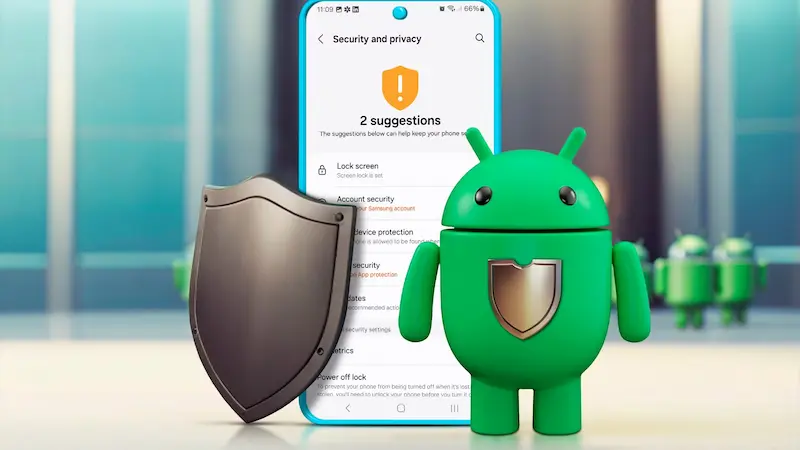
Security threats continue to grow, making it essential to use apps responsibly. Many apps now include security features that users ignore.
Recommended actions:
- Enable two-factor authentication where available
- Use app locks for sensitive apps
- Avoid installing apps from unknown sources
Basic security habits can prevent data theft and unauthorized access without extra software.
You may also like it:
Top Gadget Releases: Latest Tech Innovations You Should Know
How to Set Up PC: Complete Step-by-Step Beginner Guide
Beginner Tech Tutorials: Easy Guides to Learn Technology
DIY Tech Projects: Fun & Easy Projects for Beginners
7. Manage Notifications to Improve Focus
Constant notifications can reduce productivity and increase stress. Managing them properly leads to a calmer digital experience.
Smart notification control:
- Turn off promotional notifications
- Set priority notifications for important apps only
- Use “Do Not Disturb” modes during work hours
Less noise from apps means better concentration and mental clarity.
8. Take Advantage of Offline Features
Many apps now offer offline modes, allowing users to access content without an internet connection. This is especially useful during travel or in low-network areas.
Offline usage ideas:
- Download content in advance
- Enable offline notes or task lists
- Sync data once connected again
Offline features add reliability and flexibility to everyday app usage.
9. Monitor App Data Usage
Apps can consume large amounts of mobile data without notice. Monitoring usage helps avoid unexpected data limits.
Data control tips:
- Check monthly app data reports
- Restrict background data for heavy apps
- Use data saver modes
This practice not only saves money but also improves overall device performance.
10. Learn Shortcuts and Hidden Features
Many apps include shortcuts, gestures, and hidden tools that speed up tasks. Taking time to learn these features saves effort in the long run.
Examples:
- Swipe gestures for navigation
- Long-press actions for quick options
- Built-in search within apps
Discovering these features is one of the most overlooked useful app tips 2026, yet it delivers significant productivity gains.
Conclusion
Apps are becoming smarter, but smart usage still depends on the user. By managing permissions, updates, notifications, and security, anyone can improve their digital experience. These strategies do not require advanced skills—only awareness and small habit changes. When applied consistently, the useful app tips 2026 discussed above help users stay organized, protected, and productive in an increasingly app-driven world.
Frequently Asked Questions (FAQs)
1. Why should I regularly review app permissions?
Reviewing permissions protects your privacy and prevents apps from accessing unnecessary personal data.
2. Do app updates really matter?
Yes, updates fix security issues, improve performance, and ensure compatibility with new devices.
3. How many apps should I keep on my phone?
Keep only apps you use regularly. Fewer apps mean better speed and easier navigation.
4. Are offline app features safe to use?
Yes, offline features are safe and designed to improve access when internet connectivity is limited.
5. What is the easiest way to improve app performance?
Uninstall unused apps, limit background activity, and manage notifications for immediate improvements.