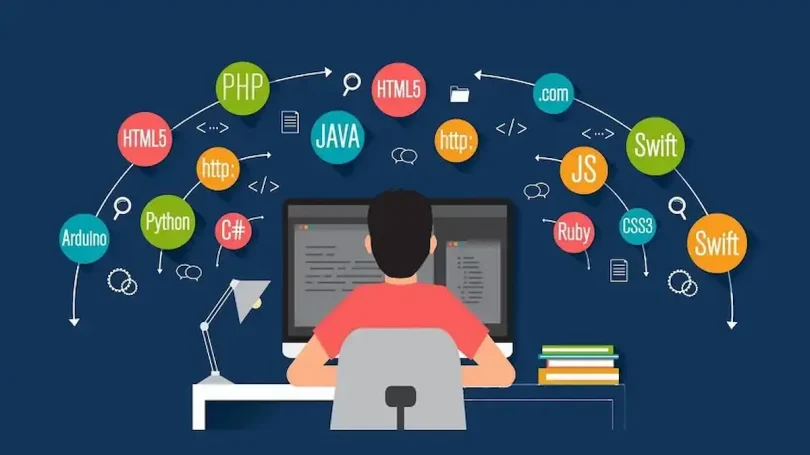

Starting your journey with computer software can feel confusing at first. New users often struggle with unfamiliar interfaces, technical terms, and basic operations. However, learning software does not have to be stressful. With the right approach, anyone can become comfortable and confident over time. These beginner software tips are designed to help new users understand essential concepts, build good habits, and avoid common mistakes when using software for the first time.
This guide focuses on clarity, practicality, and ease of learning. Whether you are using software for work, study, or personal use, these ideas will help you progress smoothly.
Understanding What Software Is

Software refers to programs and applications that run on computers, smartphones, and tablets. It allows users to perform tasks such as writing documents, browsing the internet, editing photos, managing data, or communicating with others.
There are two main categories of software:
- System software, like operating systems, which control the basic functions of a device
- Application software, which includes tools such as word processors, spreadsheets, and media players
Understanding this difference helps beginners know why certain programs are essential while others are optional.
Start With the Basics First
One of the biggest mistakes beginners make is trying to learn advanced features too early. It is always better to begin with basic functions. Learn how to open, close, save, and organize files properly before moving forward.
Take time to explore menus, buttons, and settings slowly. Most software is designed to be user-friendly, and learning the basics builds a strong foundation. Among all beginner software tips, patience is one of the most important skills to develop.
Use Built-In Help and Tutorials
Many programs include help sections, tutorials, or guided walkthroughs. These features are often ignored, but they can be extremely useful. Built-in help explains features using simple language and visual examples.
Tutorials allow users to practice step-by-step without pressure. They are especially helpful for beginners who prefer learning by doing rather than reading long manuals.
Keep Software Updated
Keeping your software up to date is important for performance, security, and stability. Updates often fix bugs, improve speed, and add helpful features. Ignoring updates may cause errors or compatibility problems.
Enable automatic updates whenever possible. This ensures you always have the latest version without needing manual effort. Regular updates are an essential part of safe and smooth software usage.
Learn Keyboard Shortcuts Gradually
Keyboard shortcuts help users perform tasks faster and more efficiently. While learning all shortcuts at once can be overwhelming, starting with a few common ones makes a big difference.
For example, shortcuts for copy, paste, undo, and save are useful across many programs. Over time, muscle memory develops, making daily tasks quicker and easier.
Practice File Management Skills

Good file management saves time and reduces frustration. Beginners should learn how to create folders, rename files, and organize data logically. Keeping files scattered on the desktop or saved with unclear names often leads to confusion.
Use folders based on categories such as work, study, or personal use. Clear organization is one of the most overlooked beginner software tips, yet it improves productivity significantly.
Avoid Installing Unnecessary Programs
Installing too many programs can slow down your system and cause conflicts. Beginners should only install software that is truly needed. Before installing, read the description carefully to understand its purpose.
Unnecessary programs may run in the background, consume memory, or display unwanted notifications. Keeping your system clean helps maintain good performance and a smooth user experience.
You may also like it:
Top Gadget Releases: Latest Tech Innovations You Should Know
How to Set Up PC: Complete Step-by-Step Beginner Guide
Beginner Tech Tutorials: Easy Guides to Learn Technology
DIY Tech Projects: Fun & Easy Projects for Beginners
Learn Basic Troubleshooting
Every software user faces problems at some point. Beginners should not panic when something goes wrong. Many issues can be fixed by restarting the program, checking settings, or reviewing error messages.
Understanding simple troubleshooting steps builds confidence. Learning how to search for solutions and read error messages calmly is an essential skill that improves over time.
Pay Attention to Security and Privacy
Security is a critical topic for new users. Always be cautious when granting permissions or downloading files. Avoid clicking on unknown links or opening suspicious attachments.
Use strong passwords and change them regularly. Understanding privacy settings helps protect personal information and prevents unauthorized access. Safe habits are among the most important beginner software tips for long-term protection.
Take Notes While Learning
Writing down important steps or shortcuts helps beginners remember what they learn. Notes can include common errors, solutions, or useful features discovered over time.
Keeping a small learning journal or digital notes file makes it easier to review information later. This habit reduces repetition and speeds up the learning process.
Be Patient and Practice Regularly
Learning software is a gradual process. Progress may feel slow at first, but regular practice leads to improvement. Even small daily practice sessions help reinforce knowledge and build confidence.
Mistakes are part of learning. Instead of feeling discouraged, treat them as opportunities to understand software better. Consistency and patience lead to success over time.
FAQs
1. How long does it take to learn basic software skills?
The time varies for each person, but most beginners can learn basic skills within a few weeks of regular practice.
2. Is it necessary to learn advanced features as a beginner?
No, beginners should focus on basic functions first and move to advanced features later.
3. Why does software feel confusing at first?
Software feels confusing because of new interfaces and terms, but familiarity improves quickly with use.
4. Are tutorials better than manuals for beginners?
Tutorials are often easier for beginners because they provide step-by-step guidance and visual examples.
5. What is the best way to improve software skills?
Regular practice, patience, and gradual learning are the most effective ways to improve skills.