
In today’s fast-paced digital world, staying productive is more important than ever. With endless tasks, notifications, and deadlines, many people rely on digital tools to manage their workload efficiently. Using the right tools is important, but knowing how to use them effectively matters even more. This guide shares the best productivity software tips to help you work smarter, stay organized, and make better use of your time.
Whether you are a student, professional, freelancer, or business owner, these tips will help you get the most value from productivity software.
Why Productivity Software Matters

Productivity software is designed to simplify tasks, reduce distractions, and improve focus. These tools help manage projects, track time, organize files, and collaborate with others. When used correctly, they can significantly reduce stress and improve work quality.
However, simply installing productivity software is not enough. Applying the best productivity software tips ensures these tools actually improve efficiency instead of becoming another source of distraction.
Choose Software That Matches Your Needs
One of the most important productivity tips is choosing the right tool for your specific goals.
Ask yourself:
- Do you need task management or project planning?
- Are you working alone or with a team?
- Do you need time tracking or collaboration features?
Using multiple tools that do the same job can reduce productivity. Select software that fits your workflow and eliminates unnecessary complexity.
Use Task Management Features Properly
Task management tools are at the core of productivity software. To use them effectively:
- Break large tasks into smaller, manageable steps
- Set realistic deadlines
- Prioritize tasks based on urgency and importance
- Review and update task lists daily
This approach keeps work organized and prevents overwhelm. Applying these steps is one of the best productivity software tips for consistent progress.
Automate Repetitive Tasks
Many productivity tools offer automation features that save time and effort. Automation can help with:
- Sending reminders
- Updating task statuses
- Scheduling recurring tasks
- Syncing data between apps
By automating routine actions, you free up mental energy for more important work.
Use Time Tracking to Improve Focus
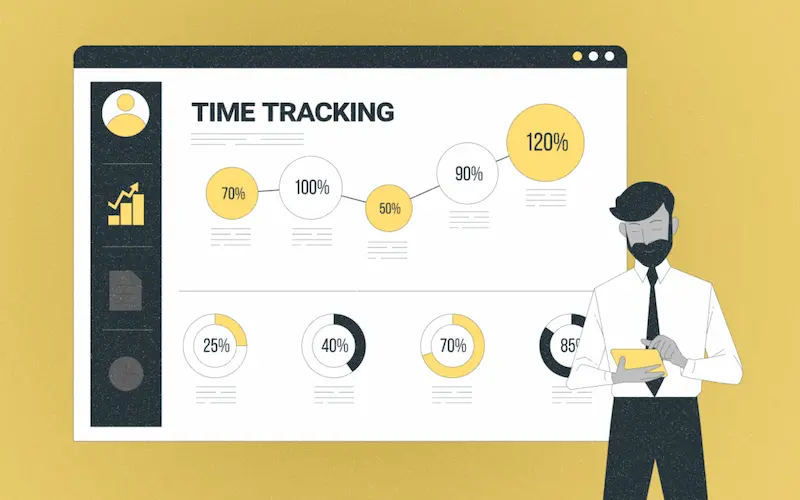
Time tracking software helps you understand where your time goes. It highlights distractions and shows which tasks consume the most effort.
Tips for better time tracking:
- Track tasks honestly without multitasking
- Review reports weekly
- Identify time-wasting activities
- Adjust schedules accordingly
This is one of the best productivity software tips for improving focus and reducing burnout.
Organize Files and Documents Efficiently
Disorganized files slow down work and cause frustration. Productivity software often includes cloud storage and document organization tools.
To stay organized:
- Use clear folder structures
- Name files consistently
- Archive old documents
- Avoid duplicate files
Good file management saves time and keeps important information easily accessible.
You may also like it:
Top Gadget Releases: Latest Tech Innovations You Should Know
How to Set Up PC: Complete Step-by-Step Beginner Guide
Beginner Tech Tutorials: Easy Guides to Learn Technology
DIY Tech Projects: Fun & Easy Projects for Beginners
Limit Notifications and Distractions
Too many notifications can break concentration. Productivity software should help reduce interruptions, not increase them.
Best practices include:
- Turning off non-essential notifications
- Using focus or do-not-disturb modes
- Scheduling specific times to check messages
Managing notifications is one of the best productivity software tips for maintaining deep focus.
Take Advantage of Collaboration Features
Many productivity tools include collaboration features such as shared workspaces, comments, and real-time updates.
To improve teamwork:
- Assign clear roles and responsibilities
- Use comments instead of long email threads
- Keep communication within the tool
This reduces confusion and improves transparency in team projects.
Use Analytics and Reports to Improve Workflow
Productivity software often provides performance reports and insights. These reports help identify strengths and weaknesses in your workflow.
Review analytics to:
- Measure task completion rates
- Track productivity trends
- Improve planning and scheduling
Using data to guide decisions is one of the best productivity software tips for long-term improvement.
Keep Software Updated and Learn New Features
Many users miss out on powerful features simply because they don’t explore updates.
To stay productive:
- Regularly update your software
- Read release notes
- Learn keyboard shortcuts
- Explore new tools gradually
Continuous learning helps you get maximum value from productivity software.
Avoid Overloading Yourself with Too Many Tools
Using too many productivity apps can reduce efficiency instead of improving it.
Stick to:
- One main task manager
- One communication tool
- One file storage system
Simplicity is key. One of the best productivity software tips is to streamline your digital workspace.
Create a Daily and Weekly Review Routine
Reviewing tasks regularly helps you stay on track.
Daily reviews help with:
- Updating task progress
- Planning the next day
Weekly reviews help with:
- Evaluating productivity
- Adjusting goals
- Clearing completed tasks
This habit ensures continuous improvement and better time management.
Common Mistakes to Avoid
Even with the best tools, mistakes can reduce productivity:
- Over-planning instead of executing
- Ignoring analytics
- Multitasking too much
- Using software inconsistently
Avoiding these mistakes makes productivity software truly effective.
Final Thoughts
Using productivity tools correctly can transform how you work. The best productivity software tips focus on simplicity, automation, focus, and consistent review. When tools align with your workflow and goals, they help you save time, reduce stress, and achieve better results.
Productivity software is meant to support your work—not control it. By applying these practical tips, you can work smarter, stay organized, and maintain a healthy balance between efficiency and well-being.
FAQs – Best Productivity Software Tips
1. What are productivity software tools?
Productivity software tools help users manage tasks, projects, time, files, and communication more efficiently to improve focus and workflow.
2. Why are productivity software tips important?
Using the right tips ensures productivity tools actually save time, reduce stress, and prevent distractions instead of adding complexity.
3. What are the best productivity software tips for beginners?
Start with one tool, set clear goals, organize tasks properly, limit notifications, and review progress daily.
4. How can productivity software improve work efficiency?
It automates repetitive tasks, improves organization, tracks time usage, and simplifies collaboration, helping users work smarter.
5. Should I use multiple productivity tools at once?
Using too many tools can reduce efficiency. It’s best to use a small number of tools that cover your main needs.